
Already Shopping in Tesco, ASDA or Morrisons?
When you are browsing an online supermarket, the hardest part is not choosing a shop — it is working out which product is actually the best value.
Offers, multibuys and different pack sizes make “cheapest” purposefully hard to spot. This guide shows how to compare prices within a single supermarket so you can pick the best value product without doing the maths yourself.
Why Comparing Prices Isn’t as Easy as It Should Be
UK supermarkets love special offers: 2 for £3, Clubcard prices, multibuys and limited-time discounts. They look great on the page, but they can make it harder to see which product is actually the best value.
Two items that look identical on the shelf can have different sizes, units and promotions. Without checking the price per unit, it’s easy to end up paying more than you need to.
What Is Unit Price?
The unit price is the real cost of what you are buying, shown as:
- £ per kg
- £ per litre
- £ per item
It tells you how much you are paying for a standard amount, so you can compare different pack sizes fairly.
Here is a simple example:
| Product | Price | Size | Unit price | Best value? |
|---|---|---|---|---|
| Cereal A | £2.00 | 400g | £5.00 per kg | No |
| Cereal B | £2.50 | 600g | £4.17 per kg | Yes |
Even though Cereal B costs more upfront, you actually get more food for your money, so it is the better deal.
Seeing the Difference in Practice
The example below shows the same search results before and after sorting products by unit price, using ValueSort.
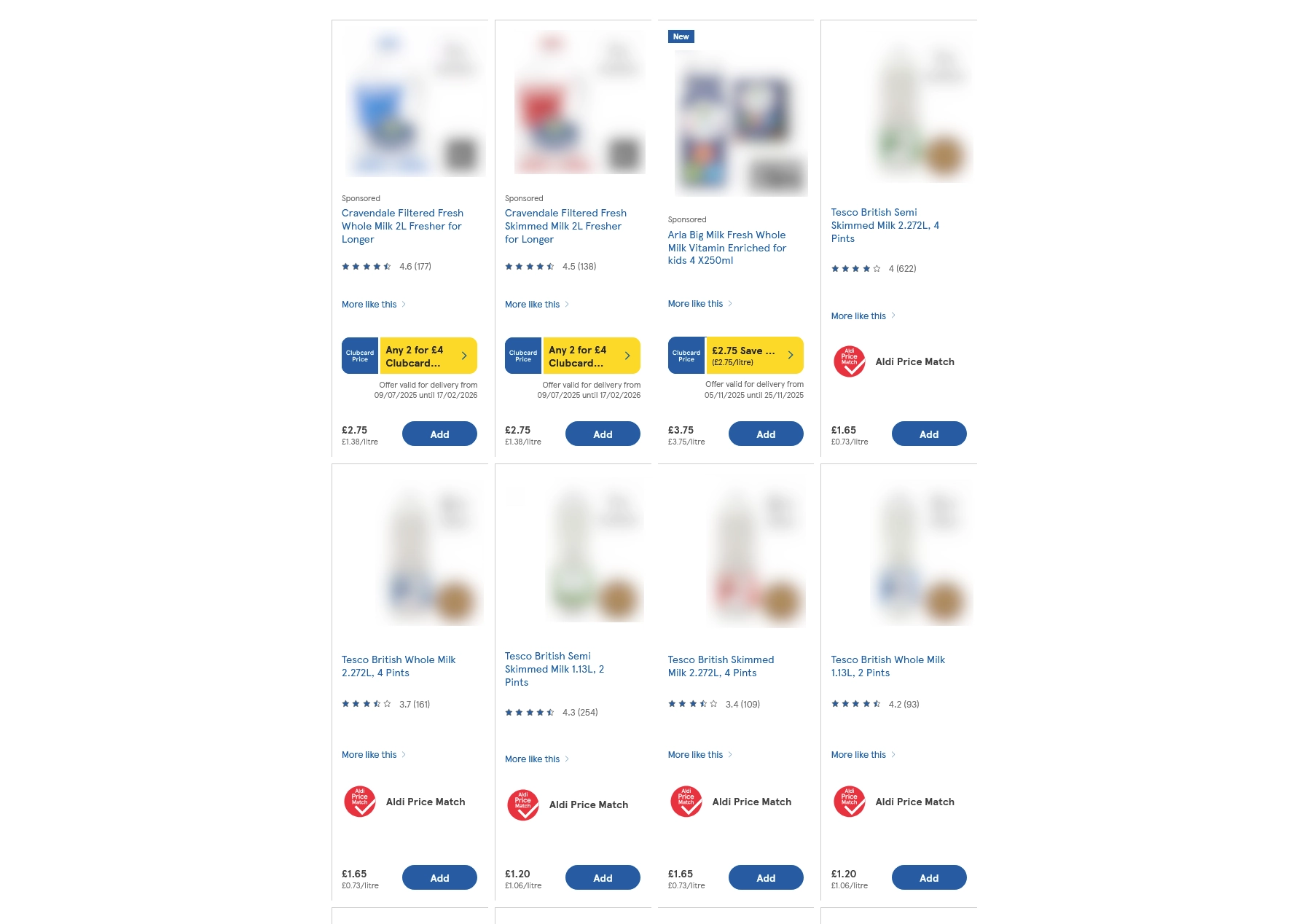
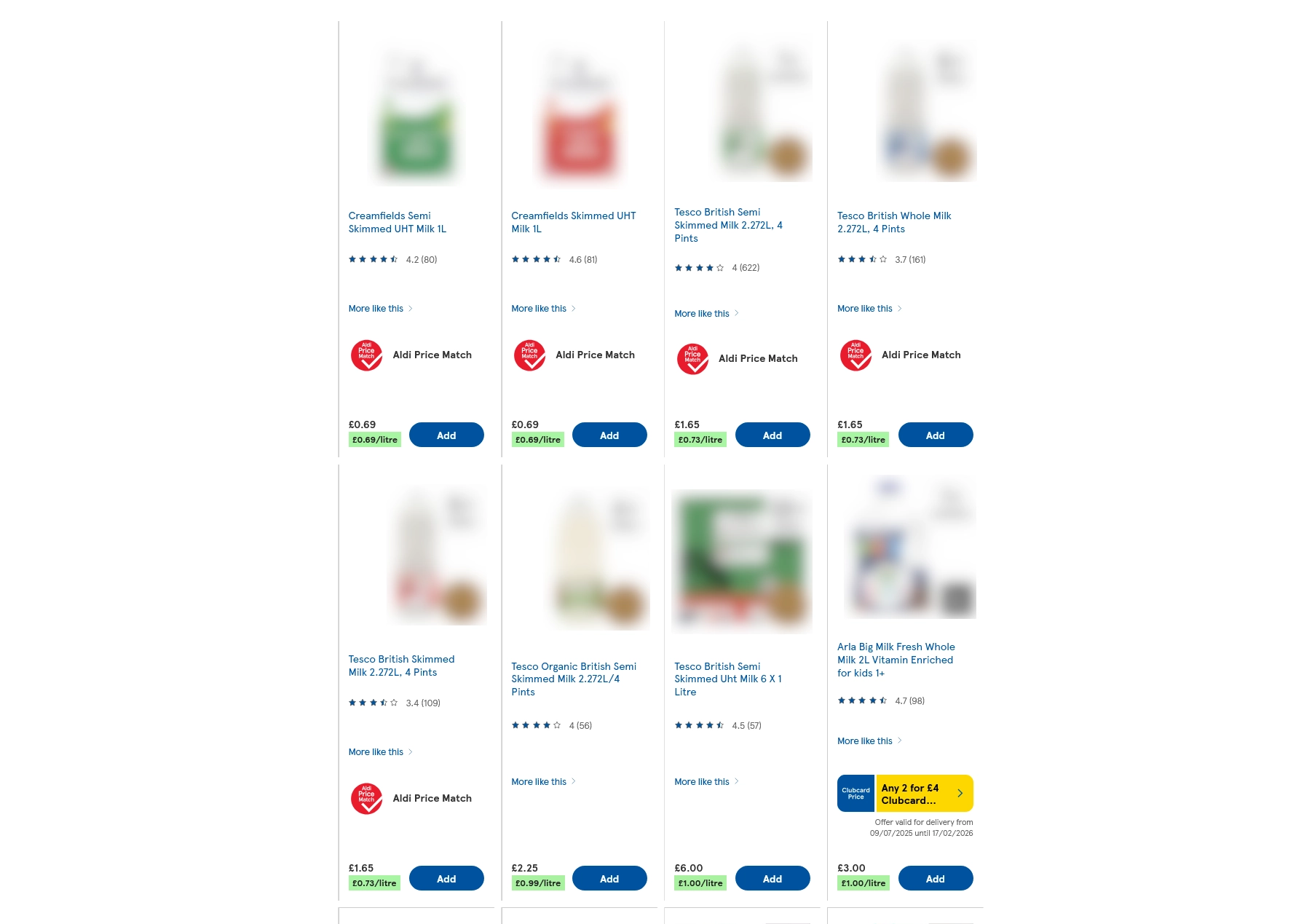
Products reordered so the cheapest price per unit appears first, making better value easier to spot.
How Supermarkets Show Unit Prices
Most UK supermarkets do show unit prices, but they are not always easy to use:
- Tesco: unit prices usually appear under the main price, but there is no option to sort by them.
- Morrisons: has a sort by unit price option, but it can be unreliable and does not include offers properly.
- Asda: offers unit price comparisons, but not include offers properly like Morrisons.
On top of this, unit prices can be shown in different ways, such as 100g, 1kg, 75cl or per item. This makes quick comparisons harder, especially if you are shopping on a small screen.
Why Manual Comparison Takes So Long
If you try to compare everything manually, you often end up:
- Scrolling through lots of very similar products.
- Checking the tiny unit price text on each item.
- Doing mental maths or using a calculator to compare sizes.
- Trying to work out whether offers and multibuys actually save money.
It works, but it is slow. For a full weekly shop, it can easily add many minutes to your order every time.
An Easier Way: Let Your Browser Do the Work
If you shop online at Tesco, Morrisons or Asda, you can use a free browser extension called ValueSort to help with this.
ValueSort:
- Reads the price per unit information that the supermarket already shows.
- Accounts for discounts and offers.
- Reorders the products so the cheapest per unit appears first.
- Runs automatically in your browser while you shop as normal.
- Does not collect, store or send your personal data anywhere.
Instead of scanning every unit price line by line, you just see the best value options at the top.
Where It Works
ValueSort is designed for UK online supermarket shopping and currently supports:
- Tesco
- Morrisons
- Asda
It uses the same product and price information already visible on the page. It does not change prices or create new offers, it simply puts the cheapest per unit items at the top.
Tips for Better Grocery Shopping
Whether or not you use ValueSort, here are some tips to help save on your weekly shop:
- Always compare unit prices, not just the main price.
- Be careful with “special offers”.
- Check if larger packs are genuinely cheaper per kg or per litre.
- Watch out for changes in pack size that quietly increase the unit price and say that they are supposedly "NEW".
- Consider switching brands when the unit price difference is large.
Small savings on multiple items can quickly add up over a year.
Try ValueSort for Free
If you often shop online at Tesco, Morrisons or Asda and want to make comparing prices easier, you can install ValueSort in a couple of clicks:
-
Install the extension:



- Toggle the extension to be on
- Open a supported supermarket website and search for an item
- Wait until the page loads — ValueSort will automatically run and reorder the products.
You can then browse as normal, knowing the best value options are shown first.
The Bottom Line
Supermarkets do not always make the best value option obvious, but unit pricing lets you see the real cost behind the offers and pack sizes. Comparing by unit price can save you money every week and help you get more for what you spend.